
August 2026 Product Update: Everything New in MediaZilla
A lot has changed in MediaZilla since our last update on July 26. Some of the changes make everyday tasks quicker, like checking email deliveries or exporting a list. Others improve what your clients see when they watch your work, buy something, or open a project you shared with them.
We have put everything together here so you can see what is new without having to hunt through individual release notes. Here are the updates you are most likely to notice while using MediaZilla.
1. See all your email deliveries in one place
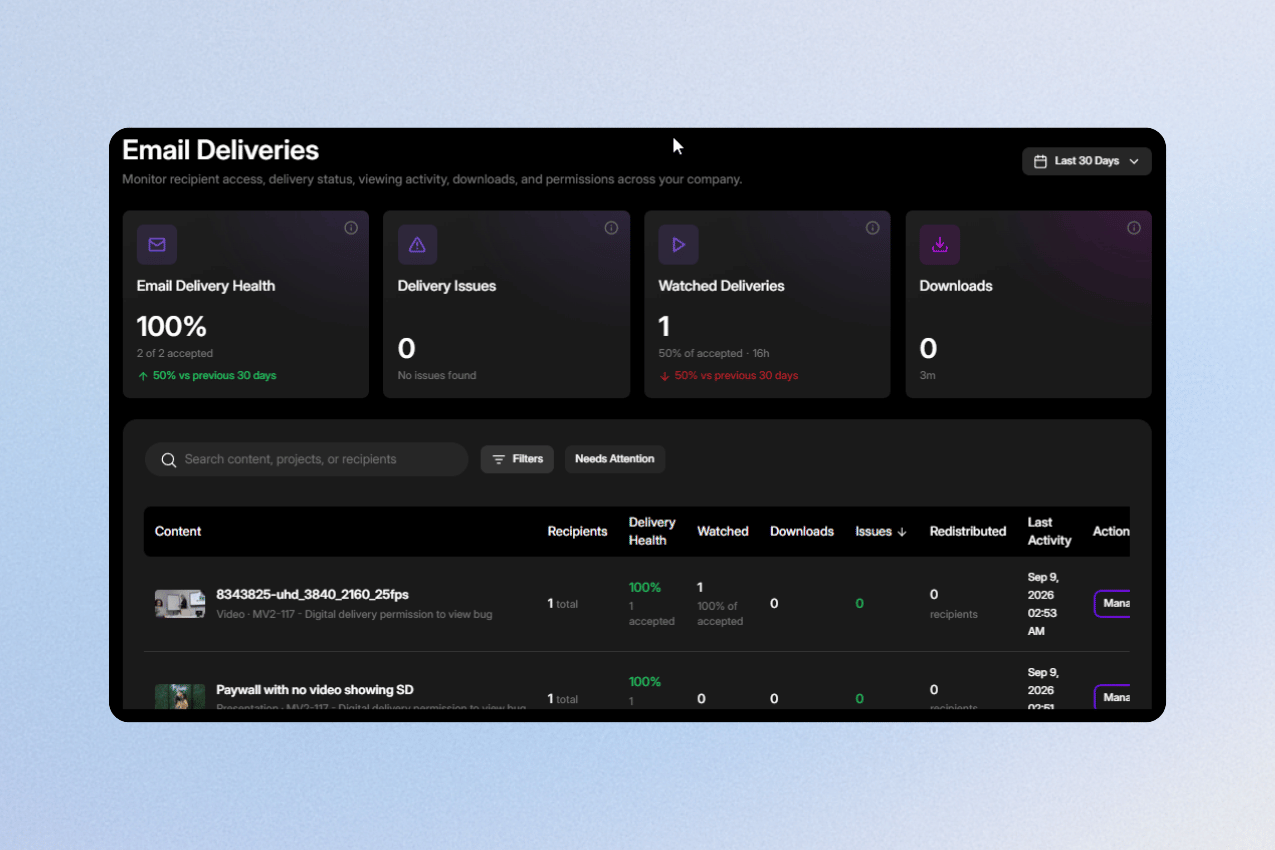
If you send content to a lot of people, checking whether everything was delivered could mean opening project after project. The new Email Deliveries page gives you one place to see deliveries across your entire account, so it is much easier to understand what happened after you hit send.
You can search for a delivery, filter by project or status, and use Needs Attention to quickly find anything that did not arrive as expected. Instead of checking every project individually, you can open one page and see which deliveries are fine and which ones may need you to take another look.
2. See which projects might need your attention
When you have a lot of active projects, it is not always obvious which one you should check first. Project Insights helps by looking at what is happening across your projects and bringing useful activity to your attention, including changes in engagement, drop-off, and revenue.
Each insight takes you directly to the project it came from, so you do not need to search for it afterward. The idea is simple: when you open MediaZilla, you should be able to get a better sense of what is happening across your account without clicking through every project.
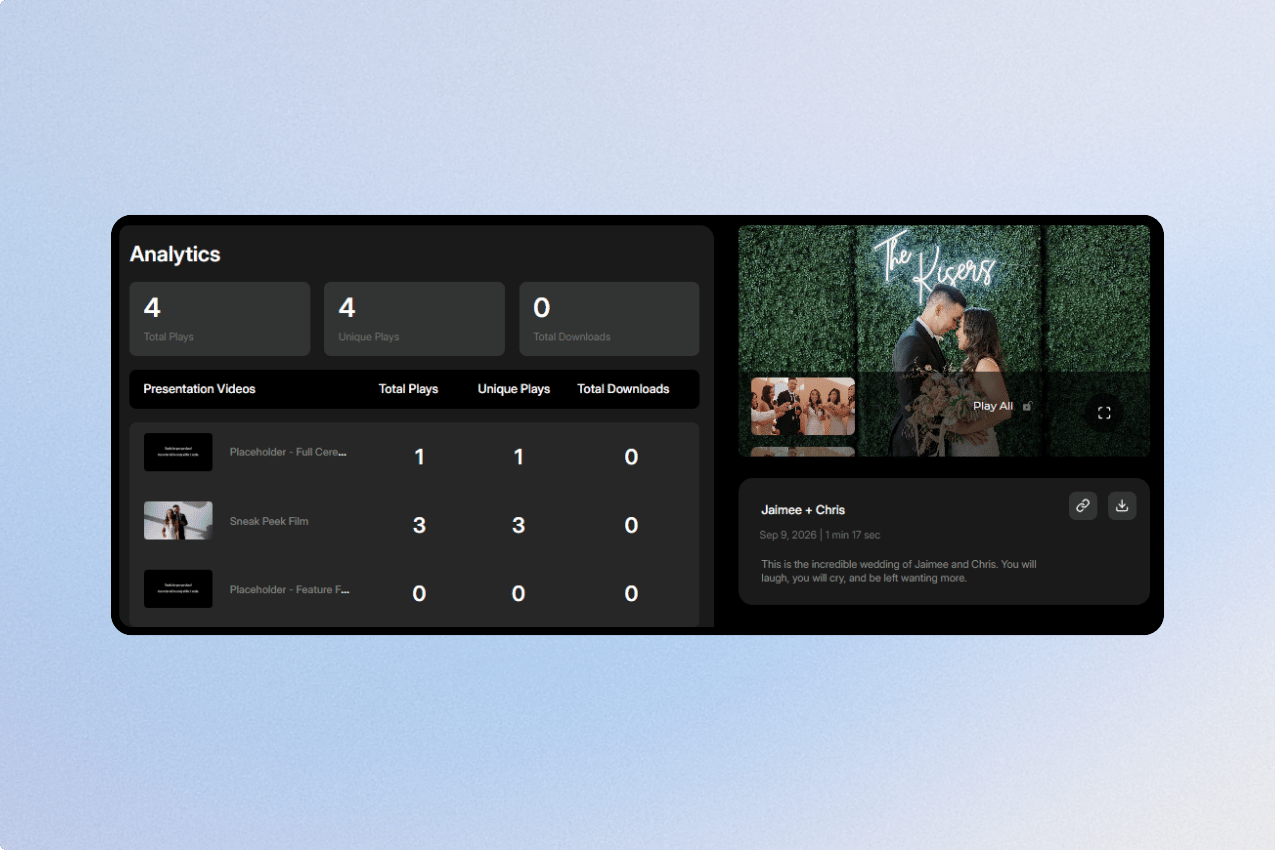
Email Deliveries and Project Insights are both available in the new dashboard. If you have not tried it yet, you can click Try the new dashboard at the top of your current dashboard and have a look around before deciding whether you want to keep using it.
3. Export your recipient and buyer lists
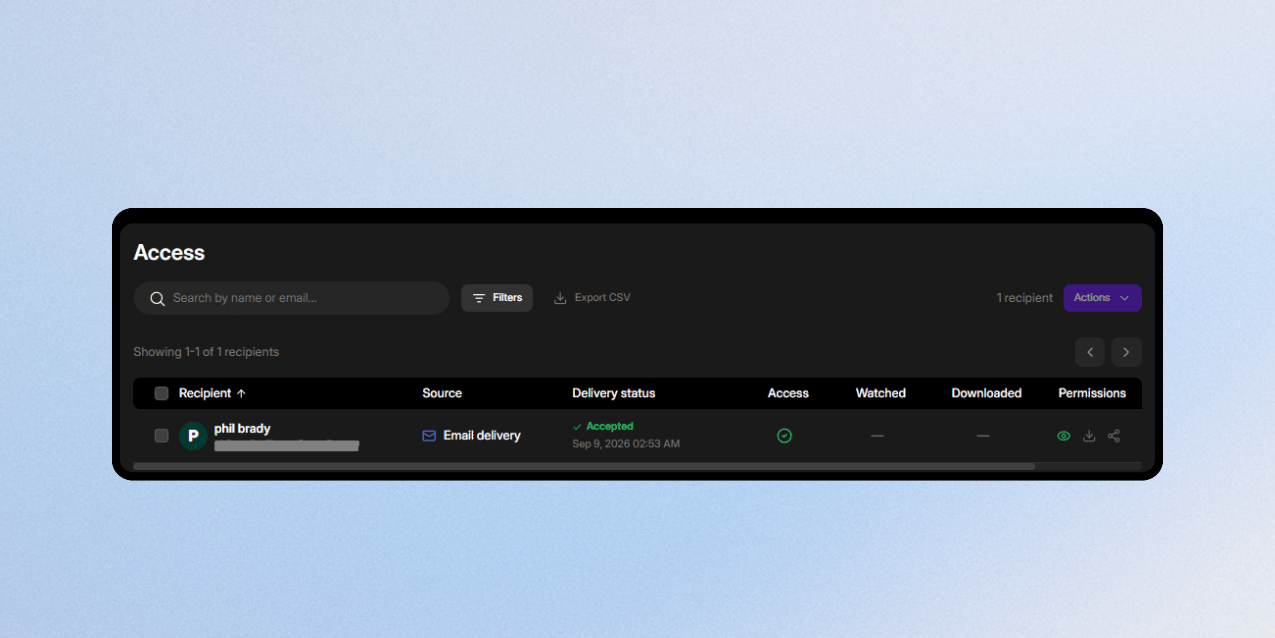
Sometimes you just need your data in a spreadsheet. You can now export the complete list from Access or Sales as a CSV, including the full list rather than only the people currently visible on the page.
Dates and purchase amounts are included in a format that you can sort and work with normally in Excel, Google Sheets, or another tool. This can be useful when you are checking sales for the month, giving a client a list of buyers, keeping your own records, or moving recipient information somewhere else.
4. Give buyers a way to contact you when a Paywall is off
There are times when you may switch off a Paywall, but someone can still arrive at that page wanting to buy. Previously, that person could reach the end of the road without knowing what to do next.

Now they will see your contact email when the Paywall is unavailable. That gives them a simple way to reach you directly, so an interested buyer does not have to disappear just because purchasing is temporarily turned off.
Better video and poster frames
We also spent time improving how video looks and behaves for viewers. Most of these changes happen quietly in the background, but they can make a noticeable difference when someone is watching your work on a different browser, screen, or device.
5. HDR footage looks better on standard displays
HDR video can sometimes look flat or washed out when it is viewed on a screen that is not displaying HDR. We have improved how MediaZilla handles HDR10 and HLG footage in those situations, so the standard version stays closer to the look of the original video.
You do not need to change anything in your workflow to use this. The improvement happens during playback, helping preserve more of the color and contrast you intended when your client watches the video on a standard display.
6. HDR poster frames now match the video better
The same improvement now applies to poster frames taken from HDR videos. Before this change, the poster image could look noticeably duller than the video that played after someone clicked it.
Now the poster frame and the video receive the same color treatment. That means the image someone sees before pressing play should feel much more consistent with the video behind it.
7. Poster frame capture is faster and more reliable
We have also changed the way MediaZilla captures poster frames from videos. Choosing a frame should now feel quicker, and the image you get should be closer to the exact moment you selected.
This also fixes a problem where poster-frame capture could fail on particularly long videos. So whether you are working with a short highlight film or a much longer video from your library, setting the thumbnail should now be more dependable.
8.4K video now plays properly in desktop Safari
Some viewers using Safari on a Mac could run into a problem when selecting 2160p, where the player would keep buffering and never properly start playing. That issue has now been fixed.
We have also changed the quality menu so viewers are not shown options their browser cannot actually play. In practice, this means fewer confusing playback problems and a smoother experience for someone opening your 4K work in Safari.
9. Vertical video now shows the right dimensions
Videos recorded on phones can contain information that tells the player to rotate the footage, while the original file still reports its unrotated dimensions. That could cause a vertical video in MediaZilla to look correct but still be described as if it were landscape.
For new uploads, MediaZilla now takes that rotation into account when showing the video's dimensions. So if the video is vertical when you watch it, the information shown alongside it should now match what you are actually seeing.
A few reporting fixes worth knowing about
Not every useful update needs a brand-new screen. We also fixed a few places where the numbers shown in MediaZilla could be clearer or more accurate, especially around sales, conversion, and storage.
10. Sales and Revenue now count completed purchases
Previously, a checkout that was still pending could sometimes be included in your Sales and Revenue numbers. That could make the total look higher even though the payment had not actually completed yet.
Those figures now count completed purchases only. When you look at your revenue in MediaZilla, the number should now give you a clearer picture of purchases that actually went through.
11. Buyer Conversion is now measured more accurately
We also corrected the way Buyer Conversion was calculated when someone interacted with both a Paywall and an add-on. Because the two could share the same group of viewers, the conversion percentage could sometimes appear higher than it really was.
Paywall and add-on conversion are now measured separately. This gives you a more useful number when you are trying to understand how people are responding to each purchasing option.
12. Your upload allowance now matches your actual plan
You may have noticed that the storage number shown in Account Health did not always match the allowance shown elsewhere in MediaZilla. For example, a 600 GB plan could appear as 558.79 GB even though your billing page and sidebar correctly showed 600 GB.
That calculation has been fixed, so the allowance in Account Health now matches the plan size you actually have. It is a small change, but it removes a number that was understandably confusing when different parts of the account showed different totals.
More improvements, without more complexity
Alongside everything above, we have also been working on performance, storage, encoding, billing, analytics, and smaller fixes throughout MediaZilla. Most of that work is not something you need to think about while using the product, so we have left the behind-the-scenes details out of this update.
Ready to explore what's new? See what's new in MediaZilla