

TL;DR
Eight changes went live between September 18 and October 1. Four of them change what your buyers can do with what you deliver. Three of them eliminate the need to contact support for things that should have always been self-serve. One fixes a Safari timestamp bug that was breaking chapter navigation on Mac.
Since September 14, MediaZilla has introduced eight updates to make project organization, video delivery, and monetization easier. From folders and content recovery to buyer downloads and a redesigned Viewer Library, here's what's new.
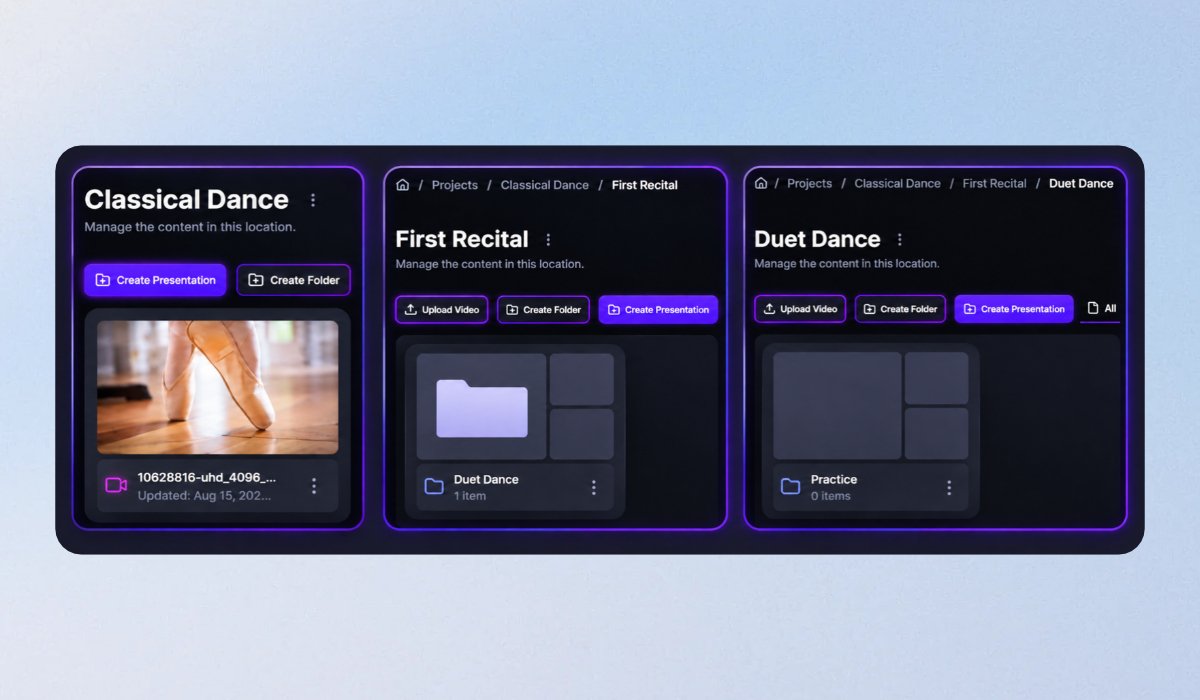
1. Organize your projects with folders
Keep your projects organized with folders and subfolders up to five levels deep. Drag and drop files, upload directly into folders, and switch between grid and list views.
Whether you're managing raw footage, client edits, or final videos, everything now has its place.
2. Recover accidentally deleted content
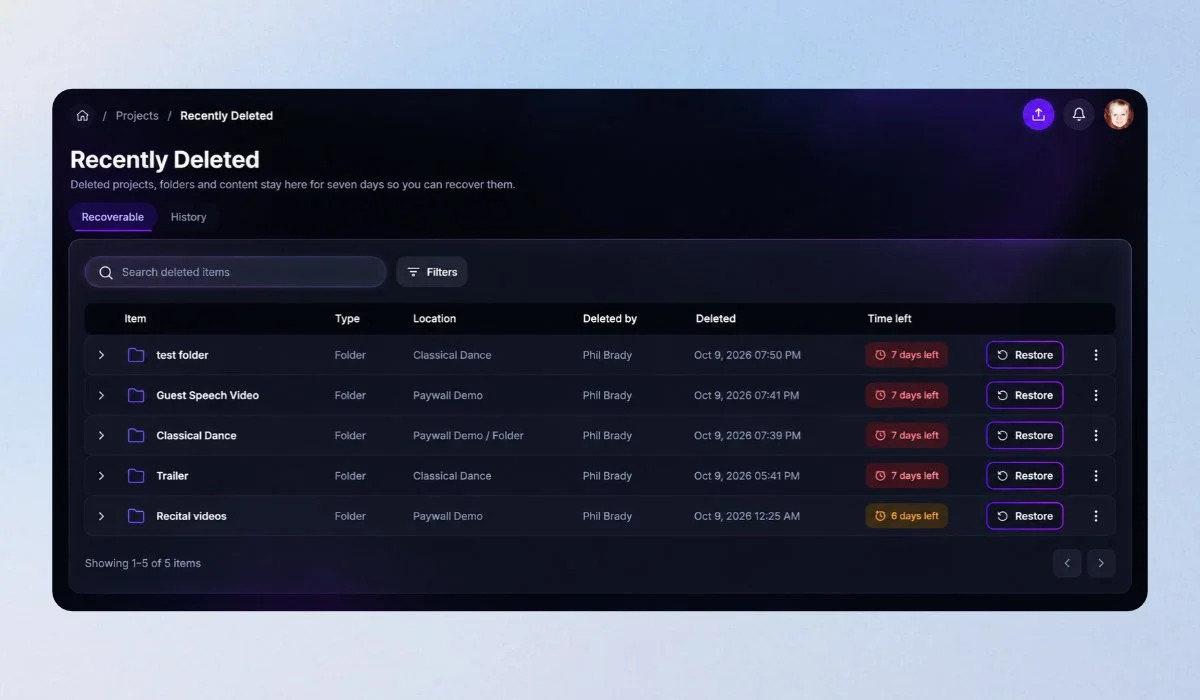
Deleted something by mistake? Use Undo immediately or recover it from Recently Deleted within seven days.
You can see who deleted an item, when, and where it belonged. Restored content returns to its original location, including the published status of presentations.
3. Let buyers download their purchases
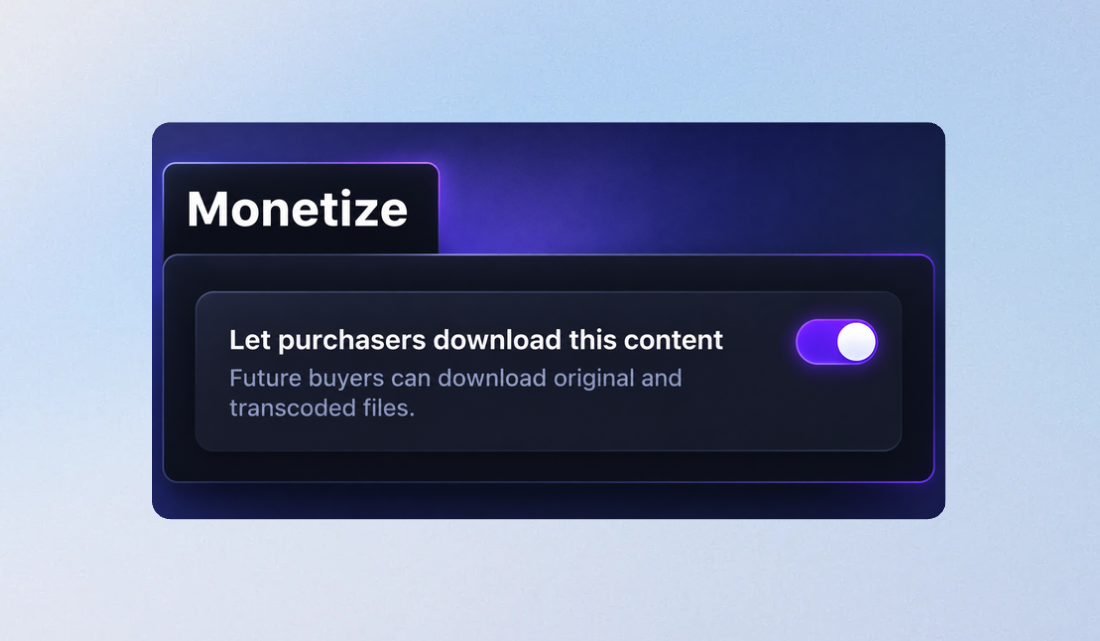
MediaZilla's new Paywall download setting lets you enable downloads for everyone who purchases a presentation, including previous buyers.
No need to grant download permissions individually. One setting makes it easier to deliver videos customers can keep.
4. One purchase unlocks an add-on for everyone
One buyer can now unlock an add-on for everyone viewing the same presentation.
Perfect for recitals and family events where one person purchases an extra video and everyone gets to enjoy it. You can turn this option on or off anytime.
5. A better viewing experience from the first click
MediaZilla's updated Viewer Library, released October 1, features a cleaner grid of posters and titles.
Viewers can open content on a full-window page, see available sharing and download options, and enjoy full-window playback. A new Get the apps link is also available.
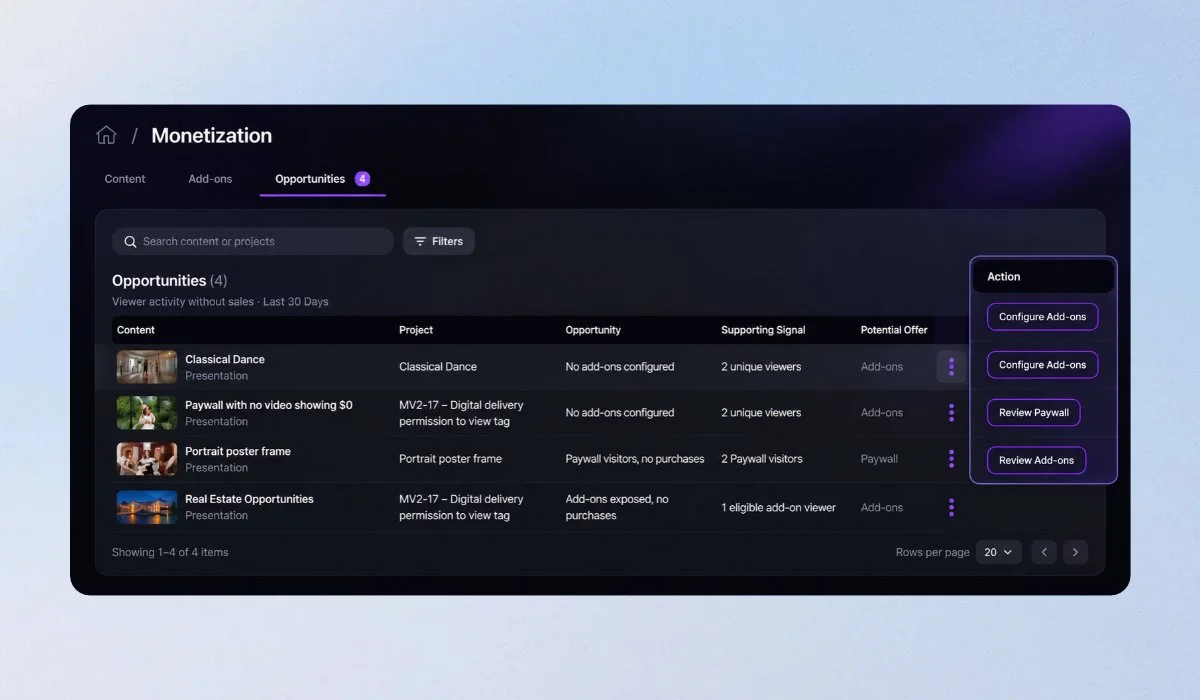
6. Manage all your monetization in one place
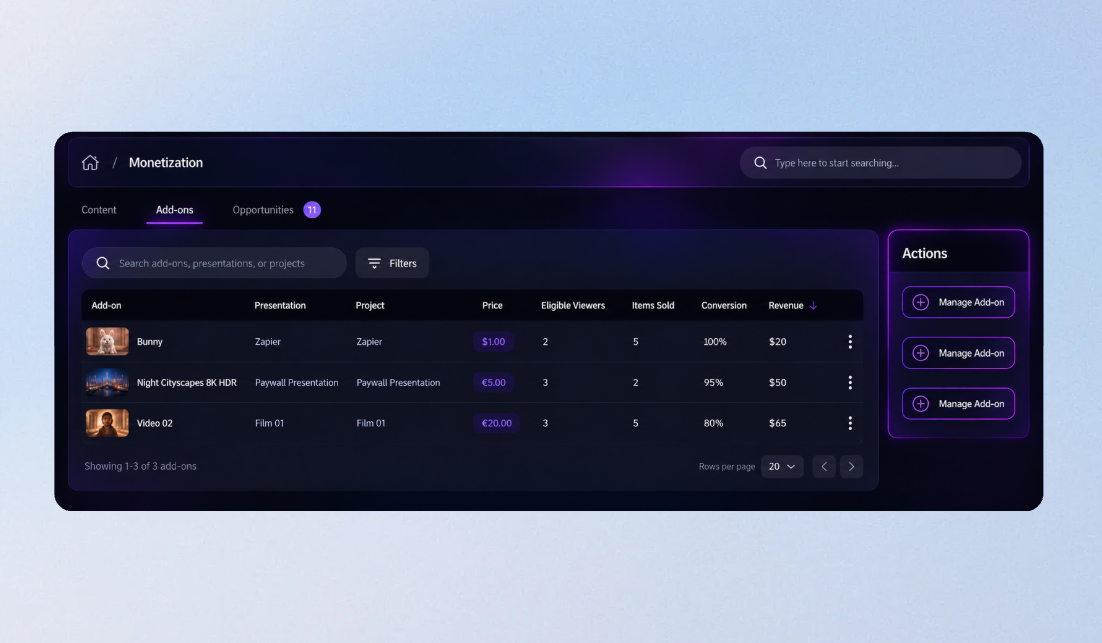
The new Monetization page brings account-wide revenue, sales, and checkouts together.
Dedicated Paywall and add-on tabs help you track performance, while Opportunities highlights content you could monetize and paid content that needs attention.
Find it by clicking Try the new dashboard in your current dashboard.
7. Clearer explanations when payments aren't available

If a Paywall or add-on cannot accept payments, MediaZilla now explains why and what to do next.
Instead of just showing Inactive, the Monetize tabs and Integrations page identify issues such as missing payment connections or plan limitations.
8. Chapter buttons now work correctly in Safari
We've fixed an issue where chapter and scene-selection buttons in Safari could start videos at 0:00 instead of the selected moment.
Viewers can now jump directly to the intended part of your presentation.
Explore What's New
These updates make it easier to organize projects, manage sales, and deliver a better viewing experience.
Ready to explore? Try the new MediaZilla dashboard.
More MediaZilla updates are coming. Stay tuned!