
Offer a rental alongside a purchase. See whether a client watched the cut. Fix a buyer's email without waiting on support. October's MediaZilla updates give you more ways to sell your films and more visibility into what happens after delivery.
This roundup covers nine member-facing updates released after October 5, 2026, including improvements to mobile and TV viewing, playback, access and recovery. For the earlier releases, see our September product updates.
TL;DR
More ways to sell: offer rentals alongside purchases, with rental access and checkout paths in mobile and TV apps.
Clearer viewing insights: use the new Analytics page to see views, watch time and engagement. Viewer-by-viewer detail depends on your plan.
Less time fixing problems: correct buyer email addresses, manage share-link viewers and get warnings about free access to paid content.
A smoother experience: a redesigned player, fewer false upload errors and improved recovery from Recently Deleted.
1. Rent your films as well as sell them
Released October 13
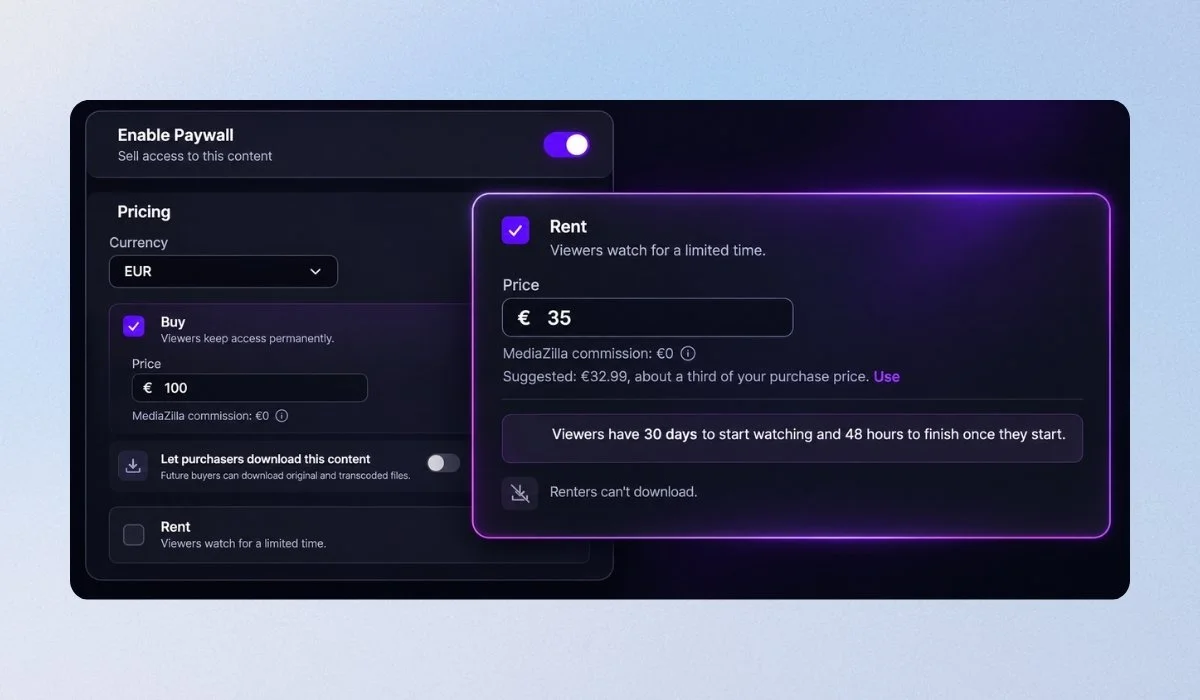
A Paywall can now offer a rental alongside, or instead of, a purchase. You set the price, how long the buyer has to press play, and how long they can watch once they start.
Rentals appear as their own line on the Sales tab, and you manage renters from the Access page. When a rental ends, the film stays in the viewer's library with a note that it has ended, so they can rent or buy it again. Charge less for one viewing and more to keep it. Viewers who wouldn't pay full price have a cheaper way in.
2. Rentals and search in the mobile and TV apps
Released late October
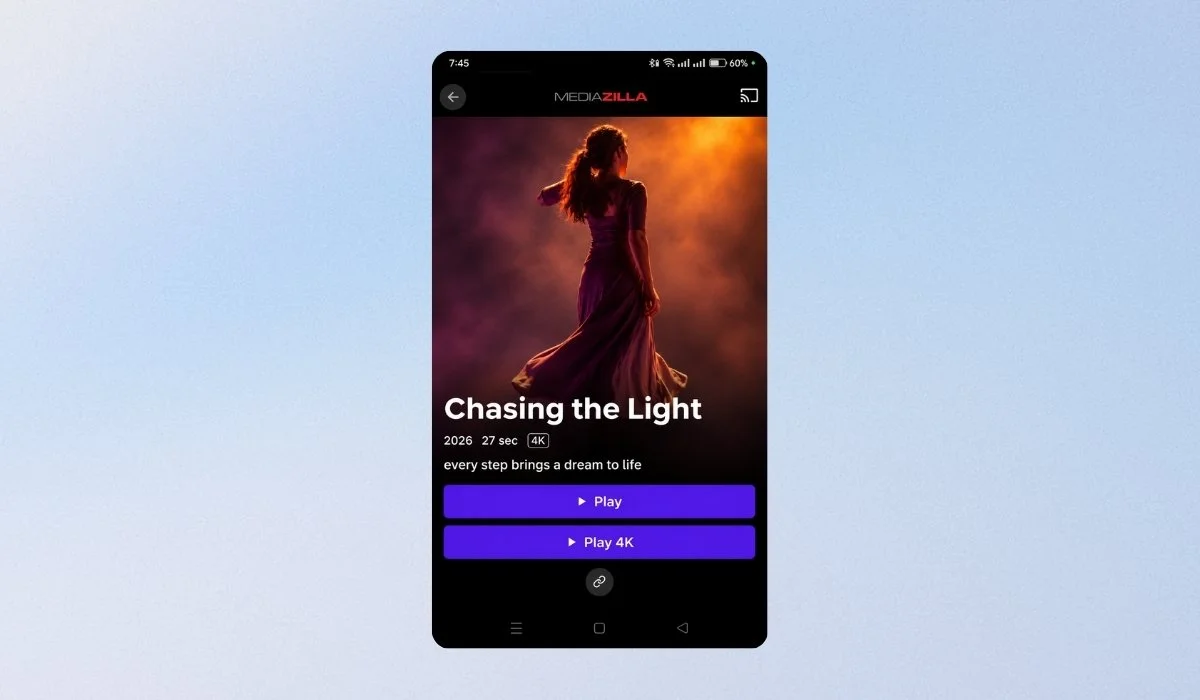
The iPhone, Android, Apple TV, Android TV and Fire TV apps now show rentals: how long a viewer has left to start or finish watching, right on the library tile and on the film's page.
Viewers can rent or buy from there too: on a phone it opens checkout in the browser, and on a TV it shows a QR code to scan. The apps can also search your library by title. Your rentals work wherever your viewers watch, and a big library is quick to find things in, even with a TV remote.
3. See who watched, and how much of it
Released October 22 · New dashboard
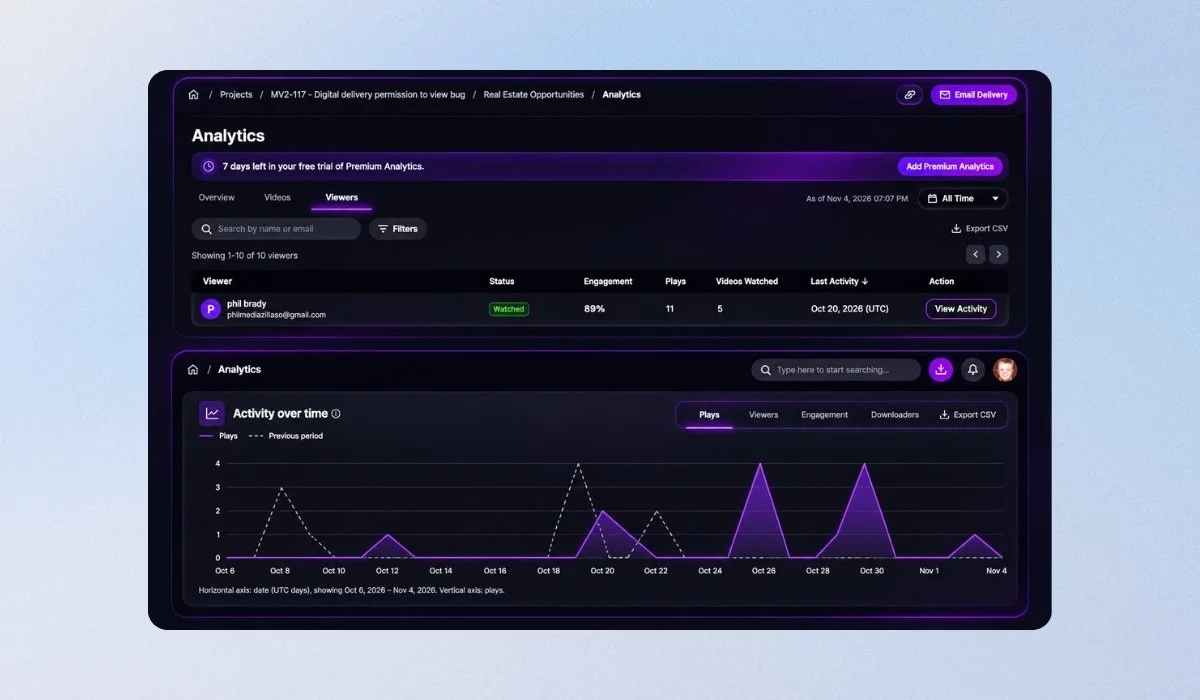
There's a new Analytics page for the whole account, and every presentation has its own analytics too. The account page shows views, watch time and engagement over time, and a Needs Attention list of content that was delivered but never opened, or where viewing dropped off.
The Content, Videos and Viewers tabs can each be exported to CSV. Open any viewer to see which videos they watched, how much of each one, and when.
What you see depends on your plan: viewer-by-viewer detail comes with Business, as a Premium Analytics add-on on other plans, or as a 7-day free trial. Know whether the client actually watched the cut before you chase them, and find the delivery nobody opened.
Where to find Analytics
Analytics lives on the new dashboard. If you haven't switched yet, there's a Try the new dashboard button at the top of yours. One click, nothing to book, and you can look around before you commit.
4. Fix a buyer's mistyped email yourself
Released October 21
If a buyer typed their email wrong at checkout, an admin or manager can now correct it from the Access page or the Sales tab. The purchase moves to the right address and a fresh invitation goes there. The Sales tab still records the address they originally paid with. A typo at checkout no longer leaves a paying customer locked out, or you waiting on support.
5. A new look for the video player
Released October 16
The player your viewers watch on has been redesigned. The controls now sit on a rounded panel floating over the video, with a larger play button over the poster, cleaner icons and menus that slide open. Your brand's highlight colour still sets the accent. Your work plays in a player that looks as finished as the film.
6. Share-link viewers now show on your Access page
Released October 15
Many viewers had added content to their library through an old Add to Library feature. They could watch it, but they didn't appear on the Access page, so you couldn't see who they were or remove them.
They're listed now, marked Added from share link, and you can revoke their access like anyone else's. You can see everyone who has your content, and take it back from any of them.
7. Warnings before your paid content is given away
Released October 13
If a Paywall is switched on while a public share link is also live, or an add-on is set up in a way that conflicts with the Paywall, you now get a warning explaining what viewers would get for free. You find out about the gap before a viewer does.
8. Uploads no longer wrongly flagged as broken
Released October 8
A video whose audio ends a few seconds before the picture was marked “Fatal issue detected” even though it played fine. Those files now upload normally. No more re-exporting a good file to get past a false error.
9. Restoring from Recently Deleted has been improved
Released October 23
Restoring a deleted video or presentation, or a project containing one, could fail with an error under certain conditions. Fixed, so Recently Deleted brings back everything it lists. The safety net we launched last month now catches everything it should.
Try the October updates
Start with the change that helps your next delivery: add a rental option to a Paywall, check engagement on a presentation, or review who has access to your content.
For Analytics, open your dashboard and choose Try the new dashboard if you haven't switched yet. Need a hand? Visit the MediaZilla Help Center.
Frequently asked questions
-
Yes. A Paywall can offer a rental alongside a purchase, or offer rental only. You choose the rental price, the time allowed to start watching and the viewing period after playback starts.
-
The film stays in the viewer's library with a note that the rental has ended. The viewer can rent or buy it again.
-
Yes. The iPhone, Android, Apple TV, Android TV and Fire TV apps provide rental and purchase paths. Phone checkout opens in a browser; TV checkout displays a QR code to scan.
-
Viewer-by-viewer detail comes with Business, as a Premium Analytics add-on on other plans, or as a 7-day free trial. Analytics is available on the new dashboard.
-
An admin or manager can correct a buyer's mistyped email from the Access page or Sales tab. The purchase moves to the corrected address and a fresh invitation is sent there. Sales retains the original checkout address.